FREE SHIPPING On Orders Over US$200
Connecting one light source to two test paths does not always require unplugging and reconnecting fibers. A 1×2 optical switch lets you select the required path through electrical control.
Before choosing one, it helps to understand its port connections, behavior when drive power is removed, and compatibility with the rest of your setup. These details determine whether the switch will work as intended.
1. What Does a 1×2 Optical Switch Do?
A 1×2 optical switch connects one common port to one of two selectable ports. Light entering the common port travels along the selected path.
Its purpose differs from that of a fiber optic splitter:
- An optical switch selects a path.
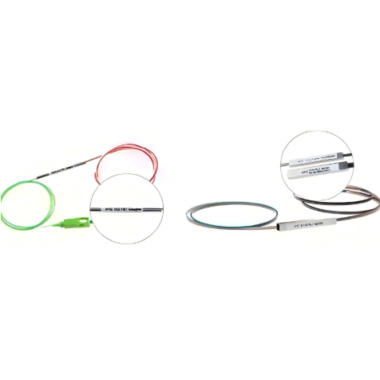
- A splitter distributes optical power across multiple paths simultaneously.
For example, if one light source needs to serve two devices in turn, a switch can select which device receives the signal. If both devices need light at the same time, a splitter may be appropriate instead.
An optical switch controls the physical light path. It does not inspect or forward Ethernet frames like an Ethernet switch.
2. Understand the Three Port Connections
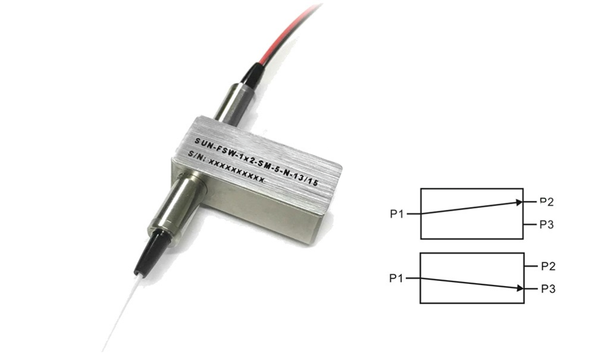
For illustration, assume the common port is labeled P1 and the selectable ports are P2 and P3. The switch then has two operating states:
- State A: P1 connects to P2.
- State B: P1 connects to P3.
Check the product’s optical route diagram before installation. Port labels and the electrical signals used to select each state can vary between models.
A bidirectional 1×2 optical switch can also carry light in the reverse direction along the selected connection. For example, when P1 and P2 are connected, light may travel from P2 to P1. However, the 1×2 designation alone does not confirm bidirectional operation.
A small amount of light may also leak into the unselected path. Check the specified crosstalk performance if this could affect your measurement.
3. Choose the Required Power-Off Behavior
After confirming the optical paths, decide what should happen when electrical drive power is removed. Opto-mechanical switches are commonly offered in latching and non-latching versions.
Latching operation
A latching optical switch retains its selected state without continuous drive power. An electrical control signal changes the state.
This is useful when the selected optical route should remain in place after the drive is removed.
Non-latching operation
A non-latching optical switch returns to its designated default state when the drive is removed. Maintaining the other state generally requires continuous electrical drive.
This is useful when the system design calls for a defined default route during a loss of drive power.
For either version, confirm the required voltage, control sequence and port mapping. Do not assume that every non-latching switch returns to the same numbered port.
Also, the switch component does not detect network faults by itself. Automatic protection switching requires suitable monitoring and control equipment.
4. Check Compatibility Before Ordering
Two switches with the same port arrangement may have different operating requirements. Use the following checks to narrow your selection.
| Specification | What to confirm |
|---|---|
| Operating wavelength | The specified range covers your source wavelength. |
| Fiber type | The switch matches your single-mode, multimode or polarization-maintaining requirements. |
| Insertion loss | Your system can accommodate the loss introduced by the switch. |
| Crosstalk | Leakage into the unselected path is low enough for your application. |
| Switching time | The transition time meets your testing or system requirements. |
| Electrical drive | Voltage, pin connections and control signals match your controller. |
| Optical power rating | The input power remains within the specified limits. |
| Connectors | Connector types and end-face polish match the adjoining components. |
Read the conditions attached to the specifications. A loss value measured without connectors may not represent the complete connectorized assembly.
If your application must preserve a defined polarization state, select a suitable PM optical switch and check its polarization specifications. A standard single-mode switch should not automatically be treated as polarization-maintaining.
5. Apply These Checks to a Test Setup
Consider a setup that sends one light source to either of two devices under test. A 1×2 fiber optic switch allows an operator or controller to select the device without repeatedly reconnecting the source.
Start by connecting the source to the common port and each device to a selectable port, following the product’s route diagram. Then confirm that the control signals select the intended paths.
Switching can briefly interrupt the optical signal. Allow the switch and measurement equipment to settle before recording a reading. For accurate comparisons, account for the loss of each selected path.
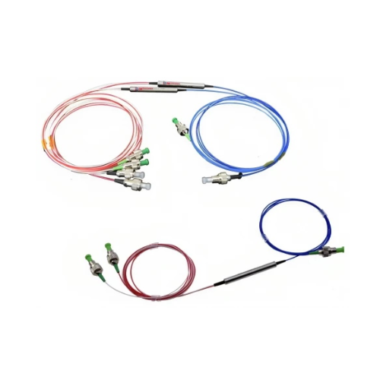
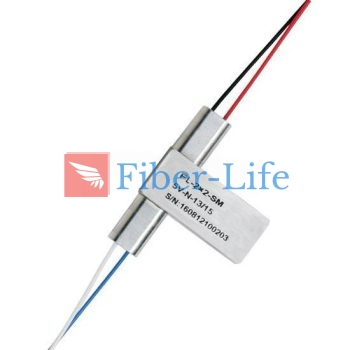
To compare available configurations, review Fiber-Life’s 1×2 Opto-Mechanical Bidi Optical Switch, including its wavelength, fiber, connector and control options. Match the selected configuration to your setup before ordering.
Conclusion
A 1×2 optical switch provides a practical way to select between two optical paths. Understanding the port connections and power-off behavior helps you choose the right configuration, while checking the optical and electrical specifications helps prevent installation mismatches.
Start with the route your system needs, then select a switch that meets those requirements.